AI meeting assistant.
Context included.
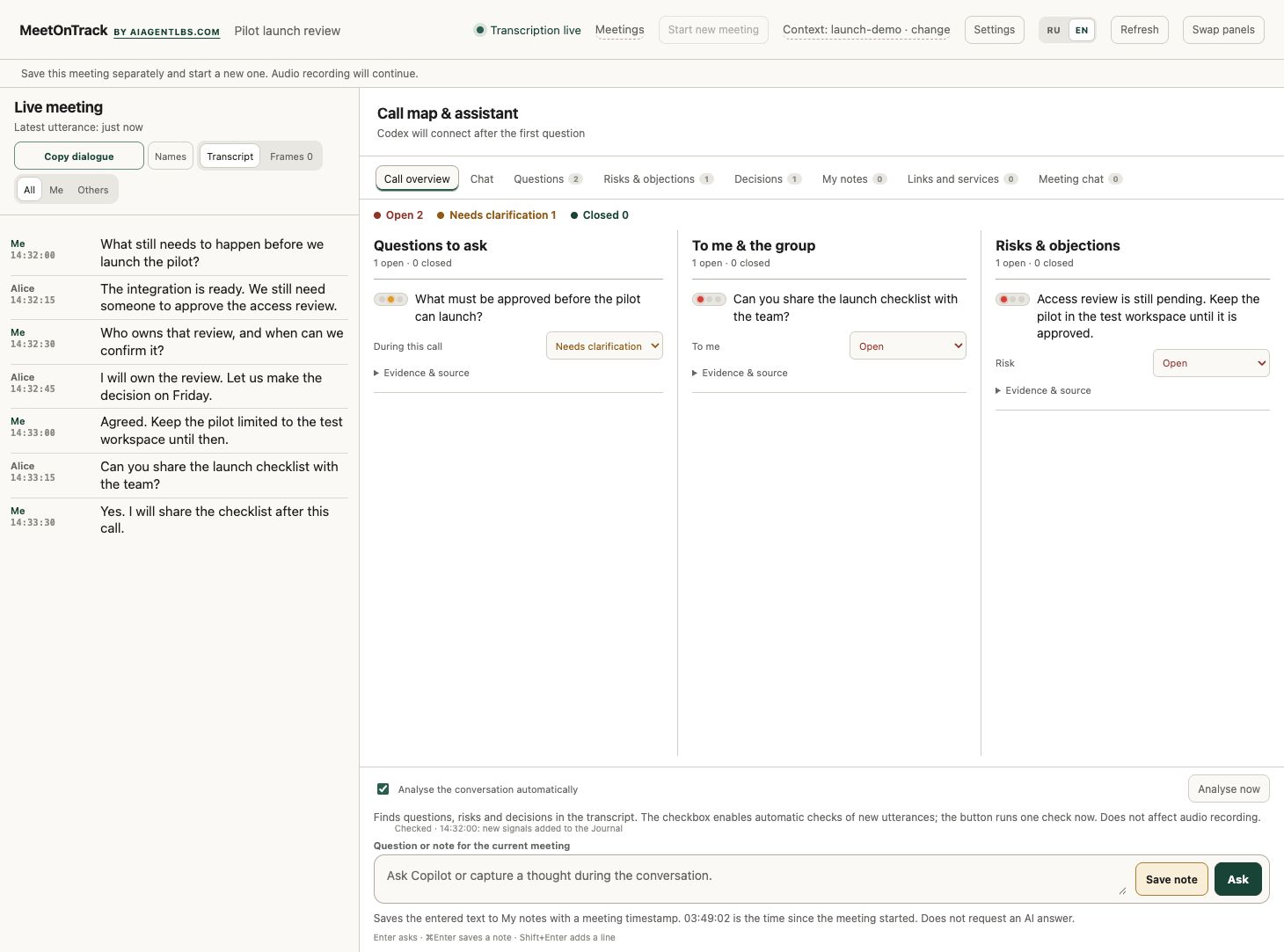
Record the conversation without a meeting bot. Keep the transcript beside relevant decisions, documents and history from your selected local repositories.
macOS 15+ · Apple Silicon / Windows 11 24H2+ · x64
Technical beta. Choose your platform for the install command and requirements.
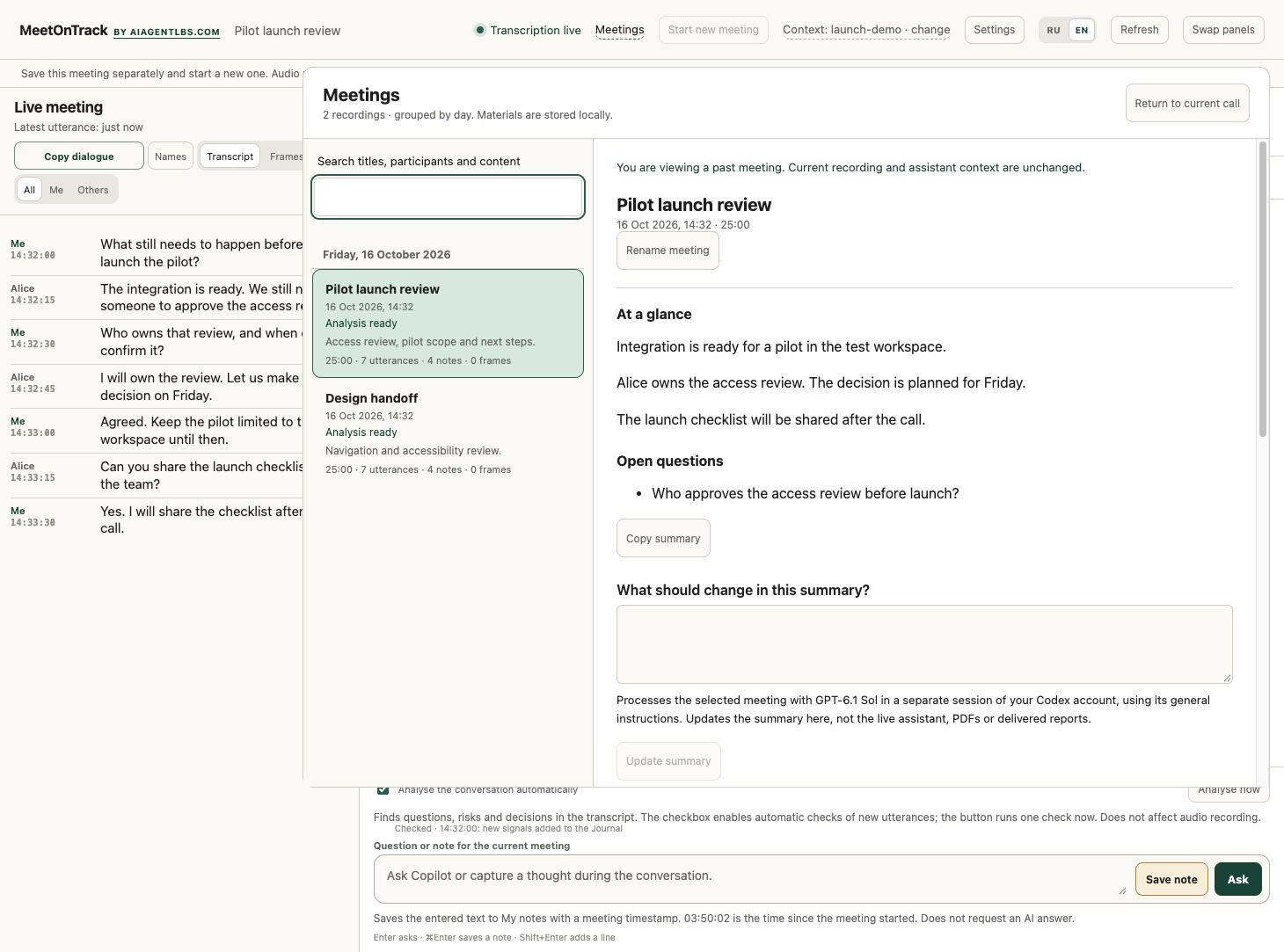
Past calls.
Only when you need them.
Open the meeting library without losing your current call. Close it to return to the conversation.
Connect the call to the work.
Record, inspect context, then save the useful results.
- 01
Capture
System audio and your microphone become a near-live transcript on your Mac. No bot joins the call.
- 02
Choose context
Select the local repositories relevant to the call. Speaker labels can need manual correction.
- 03
Verify
Codex searches up to 15 local GitHub or GitLab checkouts, docs, source and Git history.
- 04
Keep the result
Save notes and HTML/PDF reports. Delivery to Drive, email and Telegram is optional and needs configuration.
Your connections.
Your choice.
Recording and transcription run on your Mac. The interface is served at 127.0.0.1, and recordings and reports are saved in your user directory.
AI analysis in this beta uses your authenticated Codex CLI. Relevant conversation and repository excerpts may be sent to its configured AI service; the product does not promise that nothing leaves your Mac.
- Repository access is read-only
- No automatic clone, pull or fetch
- External report delivery is optional
Fully offline AI, a choice of local transcription models and additional API/subscription connectors are planned, not included in v0.1.10.
Install the Mac beta.
One command after the prerequisites below. This is a technical beta, not a standalone notarized installer.
- Apple Silicon and macOS 15+
- Capture, Python and helpers included
- Optional Codex account for AI answers
- Google Chrome for PDF reports
No compiler, Apple SDK or separate Python is required. Recording and local transcription work without an AI subscription. See the Codex CLI setup guide if you want AI answers.
curl -fsSL https://meetontrack.com/install.sh | bashDownloads v0.1.10, checks its SHA-256, and preserves private settings and recordings. You can inspect the script before running it. Quit MeetOnTrack before installing over an existing copy.
- The installer starts MeetOnTrack and opens the assistant in your browser automatically. Choose your language, approve Microphone and Screen & System Audio Recording, and finish local model setup in the app.
- Return anytime with Open MeetOnTrack assistant at the top of the recorder window or in its menu-bar menu. No second terminal command is needed.
- Connect optional context folders or Google sources, make a short test call, then check the saved audio and transcript.
Updating and troubleshooting
The app checks for new versions and shows release notes and a copyable update command in Settings. Finish your call, quit Capture and run that command to update. Automatic installation is deferred.
A failed download or checksum check stops before replacement. The installer keeps backups and preserves recordings, model data and settings.
If macOS blocks launch, review the downloaded app in Privacy & Security. Keep Gatekeeper enabled. For audio permission problems, check the exact installed app, quit it and reopen it.
Install the Windows beta.
Windows 11 24H2+, x64. Ready-to-run package with .NET and Python, no compiler or SDK. Codex is optional for AI answers. First installation downloads local speech models (about 1.5 GB).
irm https://meetontrack.com/install.ps1 | iexUnsigned technical beta. Do not disable SmartScreen or antivirus. Update: finish the call, close Capture and repeat the command. Recordings and settings are preserved.
Download Windows ZIP · Read installer · Release notes and limitations
Challenge the claim.
Find the decision.
Show the source.
Install the current beta for your platform. Recording works without an AI subscription; connect your Codex account when you want contextual answers.
Release notes and downloads